
A rack the IT team can actually work in.
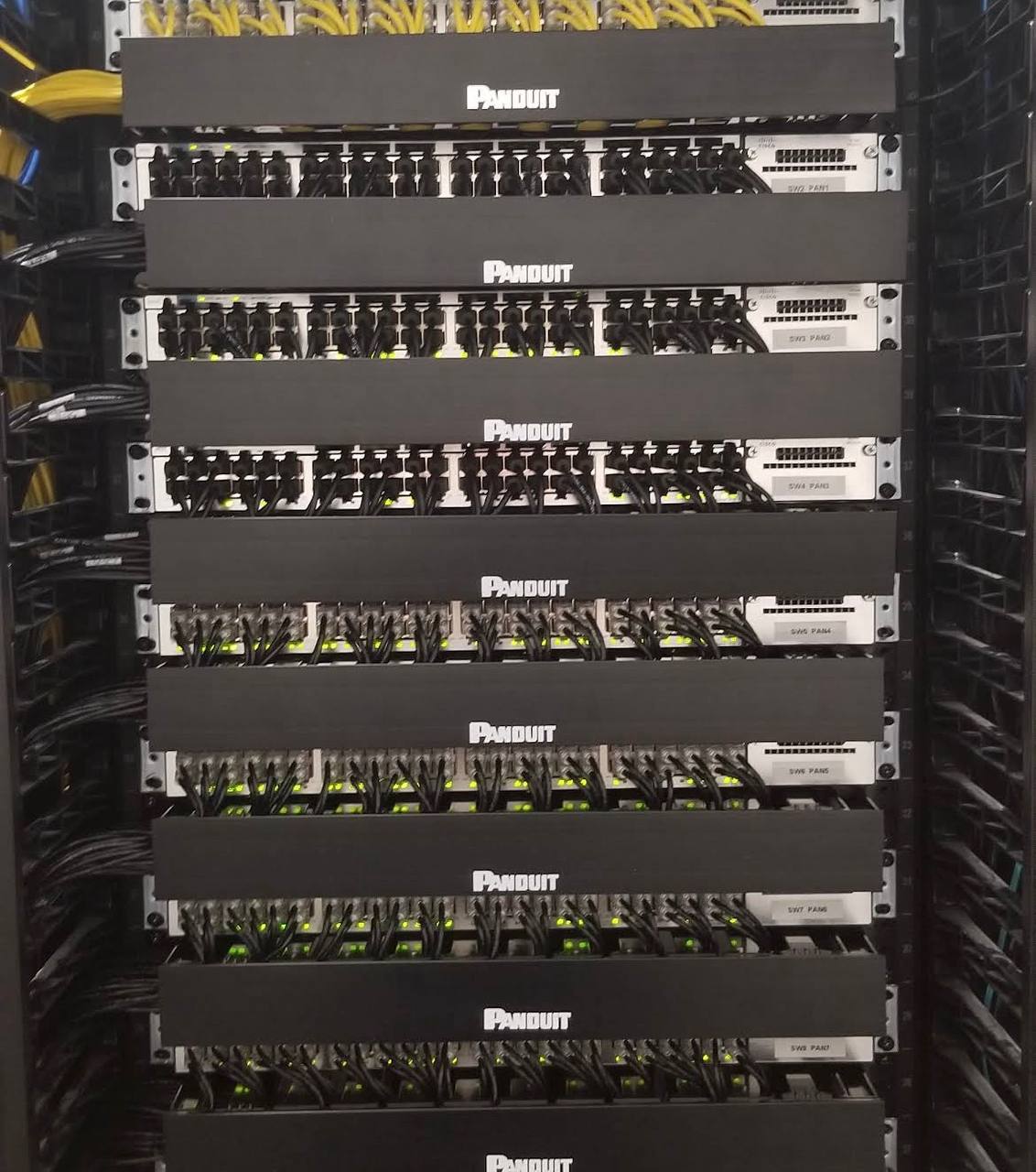
Access Cabling designed and installed a complete data rack buildout for a corporate office client in Menlo Park, California. The scope covered the rack itself, the Category 6 patch fields, the single-mode fiber uplink panels, all horizontal cable management, and full termination, certification and labeling of every copper and fiber port.
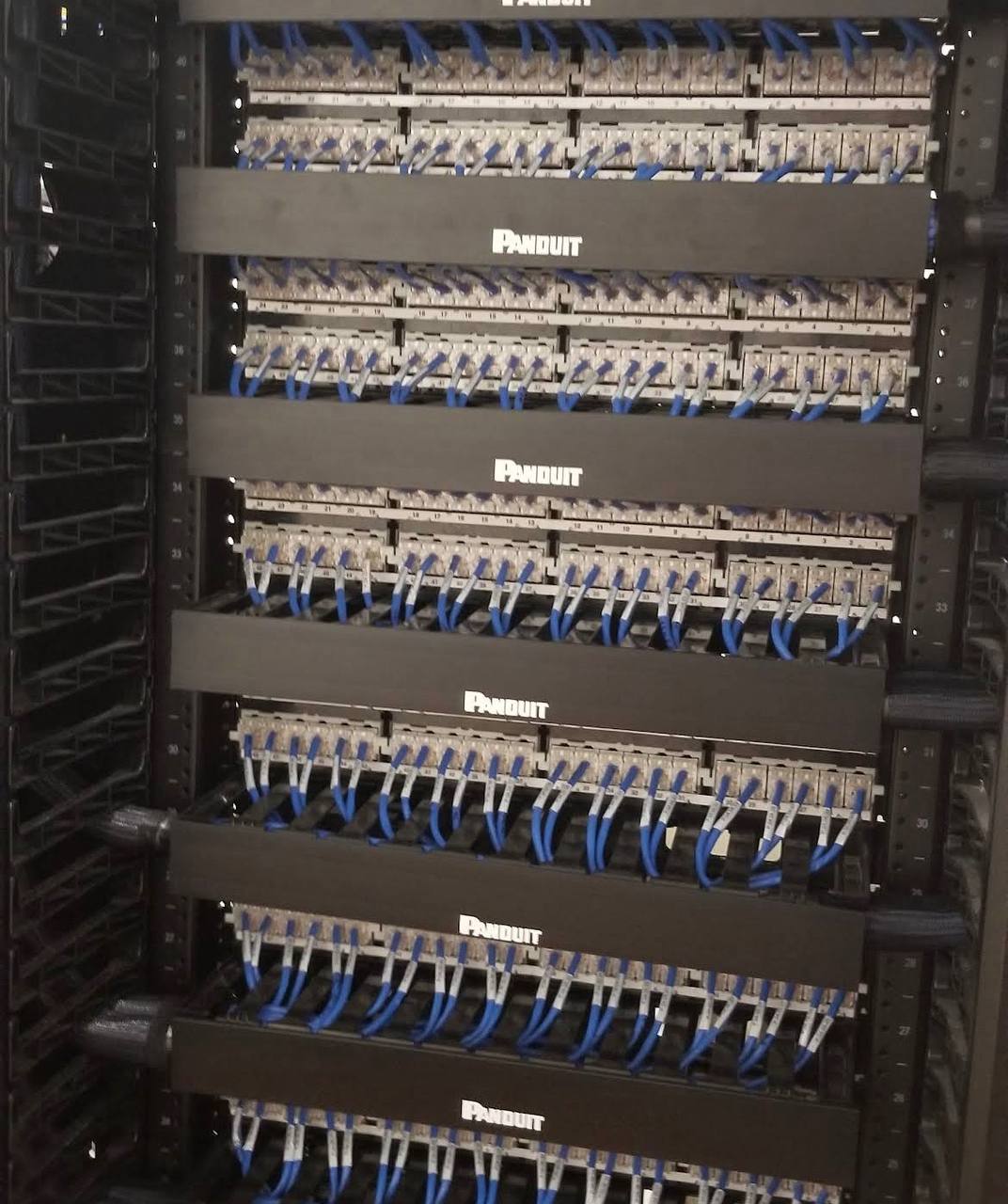
The distinguishing detail on this install is the rear elevation. Front patching is what gets photographed; the back of the rack is what determines whether the next ten years of moves, adds and changes are a five-minute task or a half-day of tracing. Both faces here were combed, dressed and numbered to the same standard.
What the buildout had to deliver.
- Replace an unorganized closet with a documented patch field
- Separate fiber backbone from dense copper patching
- Keep patch cords off switch faces and out of airflow
- Make every port traceable from both sides of the rack
- Certify and document every copper and fiber run
- Leave spare capacity for the next growth phase
What went into the rack.
FULL-HEIGHT PANDUIT RACK
A four-post Panduit rack sized against the drop schedule with deliberate spare U-space for the client's next phase of growth.
CATEGORY 6 PATCH FIELDS
Stacked high-density Category 6 patch panels carrying every horizontal station run, terminated and certified drop by drop.
TOP-OF-RACK FIBER UPLINKS
Single-mode fiber uplink panels at the top of rack keep the backbone handoff separated from the copper patching zone.
HORIZONTAL CABLE MANAGEMENT
A manager between every active device keeps patch cords off switch faces, out of airflow paths and easy to re-route.
DRESSED REAR TERMINATIONS
Blue station cable combed into uniform bundles and punched to numbered rear ports — the back of the rack is as serviceable as the front.
LABELED, TESTED, DOCUMENTED
Fluke-certified copper, tested fiber, numbered ports and as-built port maps handed over at closeout.
Documented infrastructure, not a cable pile.
The client's team took delivery of a rack with numbered ports on both faces, certified test results for every copper drop and fiber strand, an as-built port map, and deliberate spare capacity in panels and U-space. Adding a switch, extending a floor or chasing a bad port no longer starts with an hour of tracing.
Questions about this buildout.
WHY DOES THE BACK OF A DATA RACK MATTER?+
The rear of the rack is where every station cable is punched down. If it is dressed and combed, a technician can trace any drop, re-terminate a port or add a panel without disturbing neighboring bundles. If it is not, every future move, add or change becomes a slow, risky excavation. Access Cabling finishes both faces of the rack to the same standard.
WHY ARE FIBER UPLINKS PLACED AT THE TOP OF RACK?+
Top-of-rack fiber keeps the backbone handoff physically separated from the dense copper patch fields below, protects bend radius on the single-mode jumpers, and makes the uplink path obvious to anyone servicing the rack. It also keeps the fiber out of the busiest patching zone where cords are moved most often.
HOW MANY PORTS CAN A FULL-HEIGHT RACK SUPPORT?+
A full-height four-post rack can carry several hundred Category 6 ports once switches, horizontal managers and fiber panels are accounted for. Access Cabling sizes the panel count against the current drop schedule and leaves deliberate spare U-space so the next phase of growth drops into the existing rack.
DO YOU CERTIFY EVERY PORT?+
Yes. Every copper drop is Fluke-certified and every fiber strand is tested, with results delivered alongside labeled port maps and as-built documentation. That package is what lets an IT team troubleshoot from a drawing instead of from memory.
DO YOU WORK IN MENLO PARK AND THE PENINSULA?+
Yes. Access Cabling's San Mateo headquarters serves Menlo Park, Palo Alto, Redwood City, Mountain View and the wider Peninsula, with crews available for after-hours and phased work in occupied corporate offices.