
What Is Cabling / Structured Cabling?
Structured cabling is a standardized, organized framework of smaller subsystems that uses twisted-pair copper and fiber optics to create one unified telecommunications infrastructure for a building or campus. It is designed under standards such as ANSI/TIA-568 and ISO/IEC 11801 so data, voice, video, Wi-Fi, security, and building systems can share consistent pathways, termination methods, and documentation.
In practical terms, cabling includes the copper or fiber media, connectors, patch panels, racks, outlets, and pathways that carry communications signals. The word “structured” means those parts are planned and installed as a standards-based system rather than as unrelated point-to-point cable runs. Access Cabling provides both structured cabling services and broader network cabling services for commercial facilities.
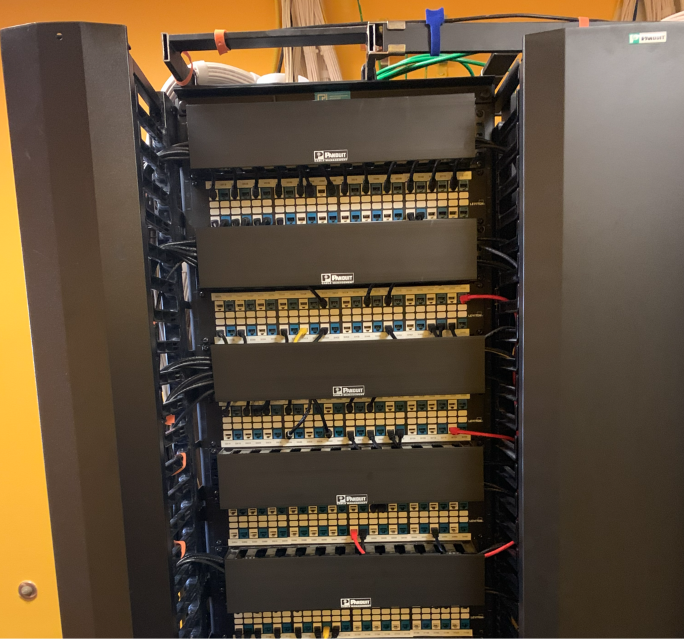
Wiring vs. Cabling
Wiring distributes electrical power; cabling carries low-voltage data and communications signals. High-voltage electrical wiring feeds lights, receptacles, and equipment, while low-voltage cabling supports networks, phones, cameras, access control, audio/video, and building systems.
- Electrical wiring: Power conductors connected to panels, breakers, receptacles, lighting, and hardwired equipment.
- Communications cabling: Twisted-pair copper or fiber-optic cable terminated on patch panels, modular jacks, fiber enclosures, and device outlets.
The trades often coordinate because both systems share a building, but their pathways, separation, termination, testing, and code requirements are different.
The 6 ANSI/TIA-568 Subsystems
ANSI/TIA-568 organizes structured cabling into six connected subsystems, from the carrier entrance to the user’s device.
- Entrance Facility (EF): Where carrier/service provider lines enter the building and interface with internal infrastructure.
- Equipment Room (ER / MDF): Central hub housing major routers, switches, servers, and primary patch panels where building-wide lines converge.
- Telecommunications Room / Enclosure (TR/TE / IDF): Intermediate distribution points on each floor housing cross-connects and switches for horizontal distribution.
- Backbone Cabling (Riser / Campus): High-speed inter-floor, inter-room, and inter-building links using high-strand optical fiber and multi-pair copper.
- Horizontal Cabling: Wires running across ceilings, cable trays, and conduit connecting the TR/IDF to individual workstation outlets, commonly using Cat6 or Cat6A.
- Work Area Components (WA): Wall plates, surface-mount boxes, patch cables, and connectors interfacing user devices.
Together, these subsystems create a traceable path from the outside service connection through the building backbone and out to each workstation, wireless access point, camera, phone, or other networked device.
Key Benefits of Structured Cabling
The main benefits of structured cabling are scalability, reliability, and a practical path to higher network speeds.
- Scalability: Standardized outlets, patching, labels, and spare pathway capacity make moves, adds, and changes easier.
- Reliability: Organized pathways, proper separation, tested terminations, and clear documentation reduce interference and shorten troubleshooting.
- Future-proofing: A planned copper-and-fiber architecture supports high-bandwidth upgrades, including 10G horizontal links and 40G backbone migration where the selected media and channel design allow it.
Why This Matters More Than People Think
Employees see computers and Wi-Fi. What they don't see is what's actually keeping it all running — the cabling above the ceiling, inside the walls, and in the equipment room. When that infrastructure is built well, the payoff is invisible: things just work, upgrades are simple, and troubleshooting takes minutes instead of hours.
When it's built poorly, the problems usually don't show up right away — they show up a year or two later, when someone needs to add a device, move an office, or figure out why a connection dropped, and there's no labeling, no documentation, and no clear picture of how anything is wired. Structured cabling exists specifically to prevent that — it's a long-term organization problem, not just a "get the device online" problem.
How It Actually Works
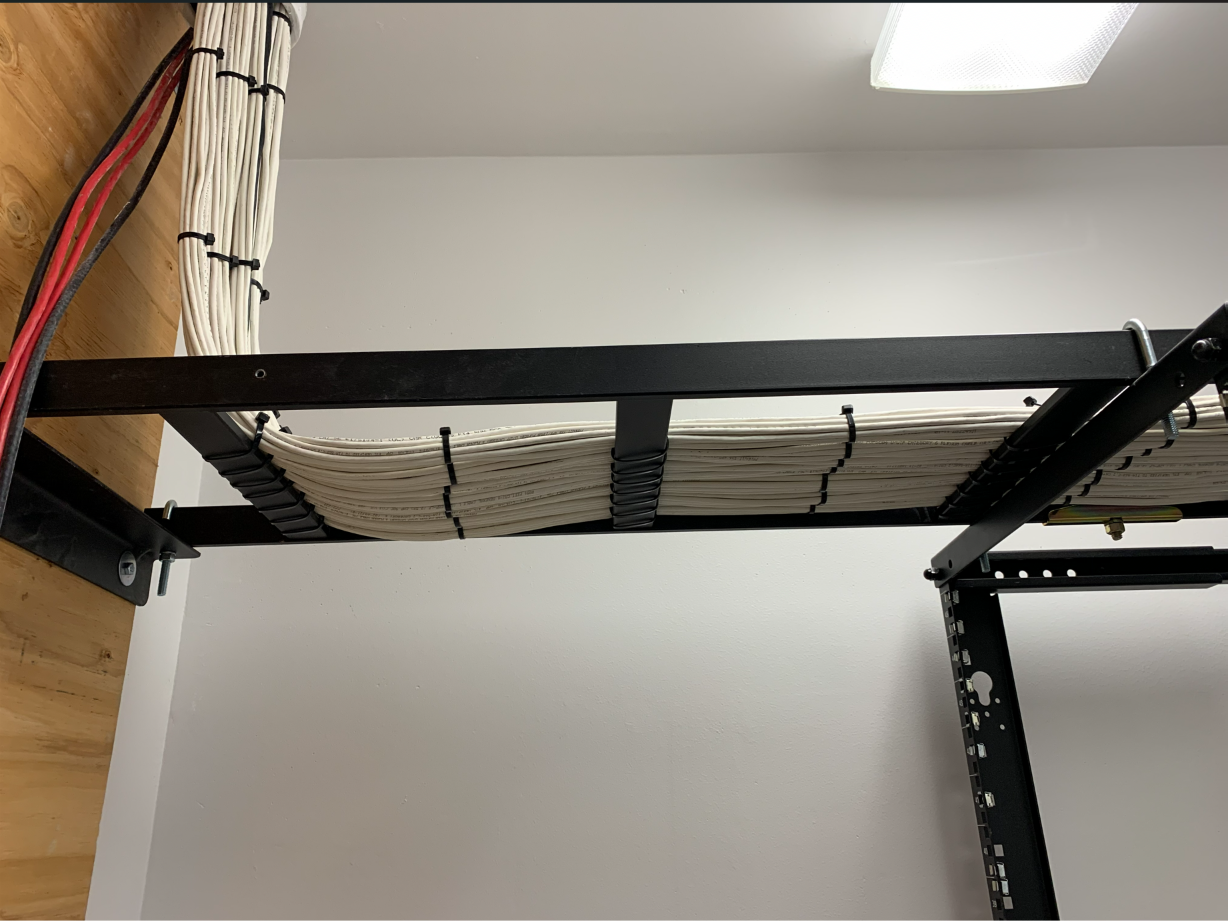
The easiest way to picture it is like a transportation system. The MDF is the central hub — it's where your internet service and core network equipment live. From there, fiber runs out to IDFs (smaller distribution points) placed around the building. From each IDF, individual cables branch out to offices, desks, access points, cameras, and anything else that needs a connection.
The result is a logical layout instead of a tangle of one-off cable runs — which is also what makes it possible to expand the network later without tearing anything apart.
What Actually Runs on Structured Cabling Today
It's not just desktop computers anymore. A modern structured cabling system typically supports laptops on docking stations, VoIP phones, wireless access points, security cameras, access control, video conferencing gear, digital signage, printers, point-of-sale systems, building automation, and industrial equipment. As more of this moves to cloud-based systems, having dependable physical infrastructure underneath it all matters more, not less.
Copper or Fiber?
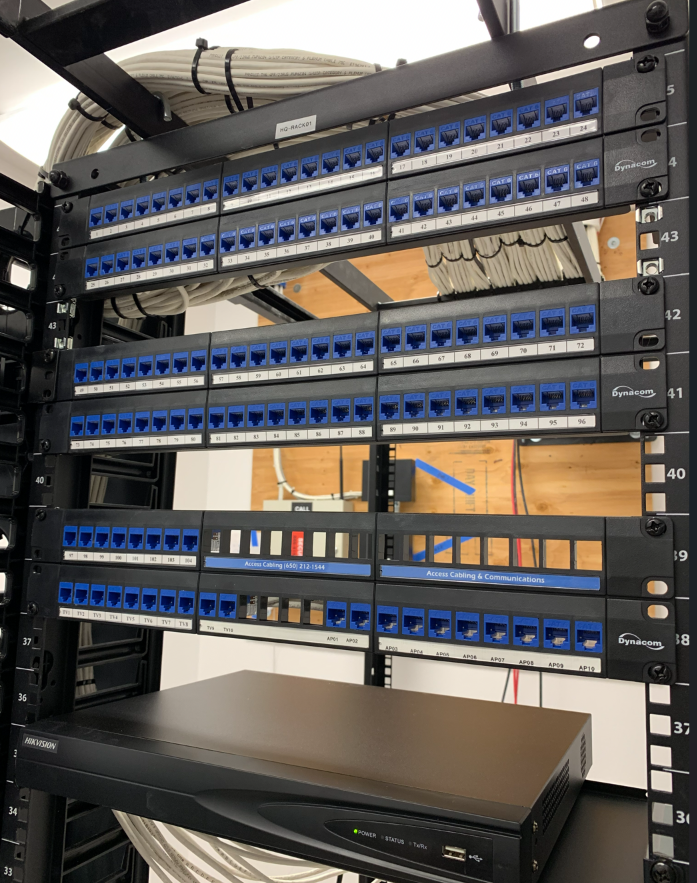
Most commercial buildings use both, and it's not really an either/or choice. Copper — Cat6 or Cat6A — typically runs from the telecom room out to individual desks and devices. Fiber handles the longer or higher-speed connections: between telecom rooms, between floors, or between buildings.
Which combination makes sense for a given building depends on layout, current bandwidth needs, and where the business expects to grow — which is exactly what a site survey is for.
Why It's Worth Getting Right the First Time
Unlike computers or switches, structured cabling isn't something you replace every few years — a properly installed system often stays in service well over a decade. That's the real argument for designing it around where the business is headed, not just where it is today. Good structured cabling makes it easier to add employees without rewiring, improve wireless coverage, reduce downtime, and avoid the cost of repeated retrofits down the line.
What We Look At During a Site Survey
Every building is different, so before designing anything we look at the building layout, ceiling construction, existing pathways, server room location, telecom rooms, future expansion plans, wireless coverage needs, security requirements, fiber backbone needs, and available rack and conduit capacity. That's what turns a generic system into one actually built for the building it's going into.
Mistakes That Cause Problems Later
- Running new cable every time something changes, instead of designing with room to grow — this is how networks turn into a patchwork with no underlying plan.
- Poor or missing labeling — if nobody knows where a cable terminates, even a simple fix turns into a long troubleshooting session.
- No documentation — this usually doesn't get noticed until a business needs to renovate or relocate equipment and realizes no one knows how the network is actually built.
- Undersized equipment rooms — server rooms sized for today's equipment only, with no room for what's next.
- Mixed standards — different hardware, labeling, or methods from job to job, which makes the system harder for anyone to maintain later.
Structured Cabling in the Field
Real projects show how the six subsystems work together at different scales—from a corporate headquarters to a major public venue.
- Levi's Stadium structured cabling and fiber — fiber backbone and more than 800 Cat6 runs supporting major LED systems.
- FloQast commercial structured cabling — organized overhead pathways, Panduit Cat6 cabling, and capacity for future additions.
- Bill.com headquarters cabling and server room — horizontal Cat6, telecommunications spaces, racks, patch panels, and a fiber backbone.
Frequently Asked Questions
- What are the 6 subsystems of structured cabling?
- The six ANSI/TIA-568 structured cabling subsystems are the entrance facility, equipment room, telecommunications room or enclosure, backbone cabling, horizontal cabling, and work area components.
- What is the difference between wiring and cabling?
- Wiring usually refers to high-voltage electrical conductors that distribute power. Cabling usually refers to low-voltage copper or fiber communications media that carry data, voice, video, and control signals and terminate at patch panels, outlets, or modular jacks.
- Is structured cabling only worth it for large businesses?
- No. Smaller offices benefit just as much — an organized system from the start usually costs less over time than patching things together as the business grows.
- How long does structured cabling actually last?
- A well-installed system typically lasts 10 to 20 years or more, depending on how it's maintained and what the business needs from it over time.
- Does structured cabling matter if we're mostly wireless?
- Yes — every wireless access point still needs a physical cable back to the network. Wi-Fi runs on top of structured cabling, not instead of it.
- Can security cameras run on the same cabling as everything else?
- Yes. Most commercial cameras use Power over Ethernet, so a single cable can carry both data and power to the camera.
- What's the real difference between Cat6 and fiber?
- Cat6 generally connects individual workstations and devices within a floor. Fiber is used for higher speeds, longer distances, or linking telecom rooms and separate buildings together.